Your trading day. One desk.

A clear plan.
Better trading habits.
One desk.

Prepare for the session, learn from your trades, and follow through when it’s time to stop.

Trading plans · TradingView indicators · Journal · Analytics · Trade Locker
Start free. No credit card required. Pro is optional.
Already have an account? Sign in
FREE

Your free desk

$0

Tools to mark your chart, understand your trades, and stick to your stopping point.

  • Contract Sizing + Price Converter indicators
  • Trading journal with screenshots and notes
  • Performance analytics and streaks
  • Trade Locker for Tradovate in Chrome
See your free tools ↓
PRO

Add Chad’s plan

$97/mo

A morning plan on your chart, with entry confirmation, live trading, and training.

  • Chad’s daily trading plans
  • Market Map for TradingView
  • OTS Pro entry confirmation
  • Live trading + Pro training
Explore everything in Pro →
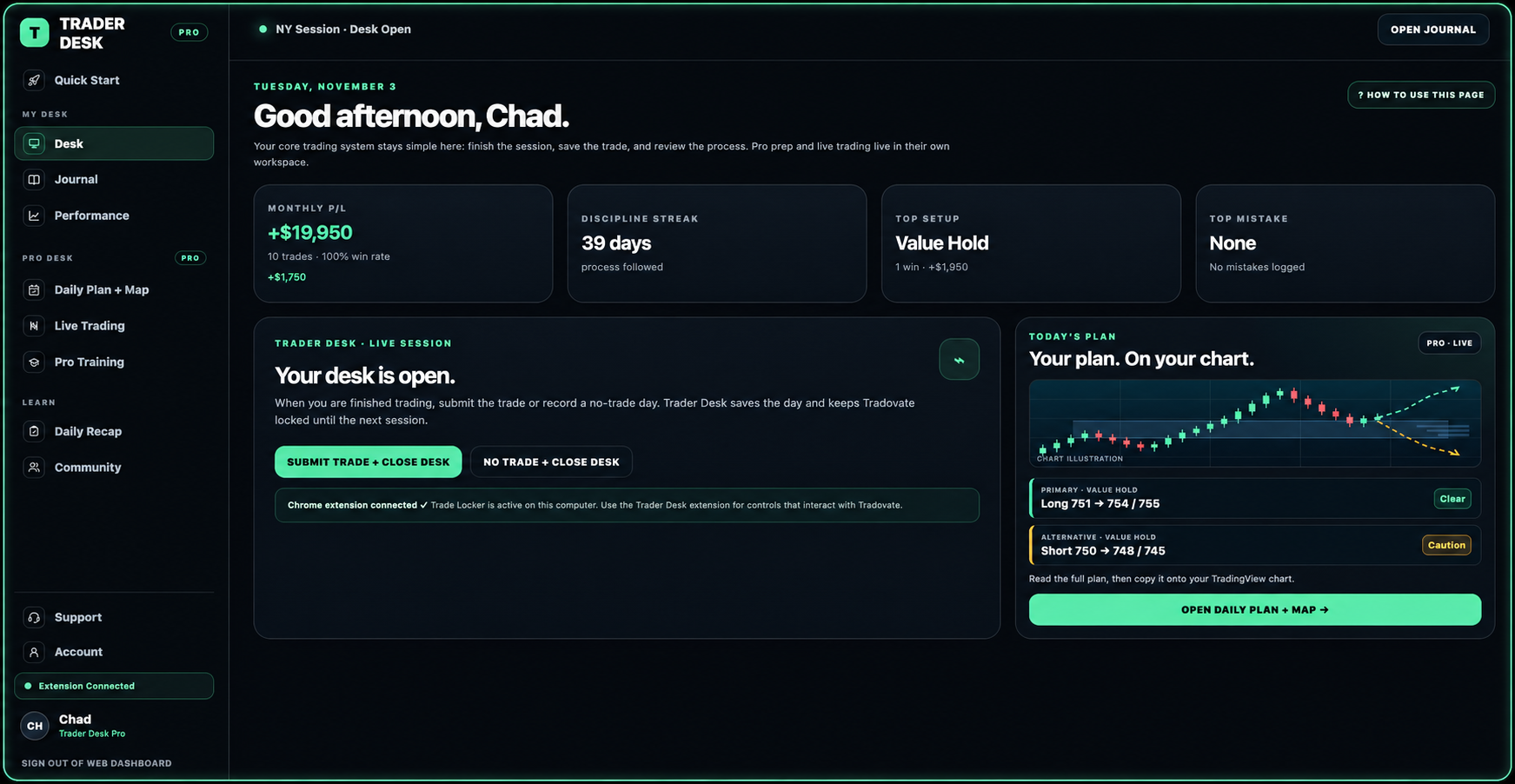
ONE DESK. YOUR TRADING DAY.FREE CORE + OPTIONAL PRO
Trader Desk illustration showing journal stats, the close desk action, and the optional Pro daily plan
Illustrative product preview. Journal, analytics, Trade Locker, and the two free indicators are included free. Daily plans and Pro indicators require Pro.
From the morning plan to the final review

A home for your whole trading day.

Start with the free tools. Add Chad’s preparation and live guidance with Pro.

01 · PREPARE

Know what you’re waiting for.

Mark your chart with free tools, or get Chad’s morning plan with Pro.

Free indicators · Pro plans
02 · TRADE

Keep your risk in view.

Use free contract sizing. Pro adds Market Map, confirmation, and live trading.

Free sizing · Pro guidance
03 · REVIEW

Learn from the trade.

Keep results, screenshots, and notes together. Find patterns in your own history.

Included free
04 · CLOSE

Have a stopping point.

Finish the session and use Trade Locker to help follow through on being done.

Included free
FREE Your everyday tools

Useful from your first session.

Create an account and start with indicators, a journal, analytics, and a way to close your desk.

FREE TradingView indicators

Mark your levels.
Size around your risk.

Two focused tools, ready to find in the Indicators tab inside your free desk.

FREE

Contract Sizing

See an estimated ES or MES contract count based on your dollar risk and ATR stop.

FREE

Price Converter

Reference SPX and ES price levels directly on your intraday SPY chart.

Indicators run on TradingView. Source-data access may be required. Sizing and conversions are estimates.

FREE Trading journal

You remember the big wins.
Your journal remembers the whole picture.

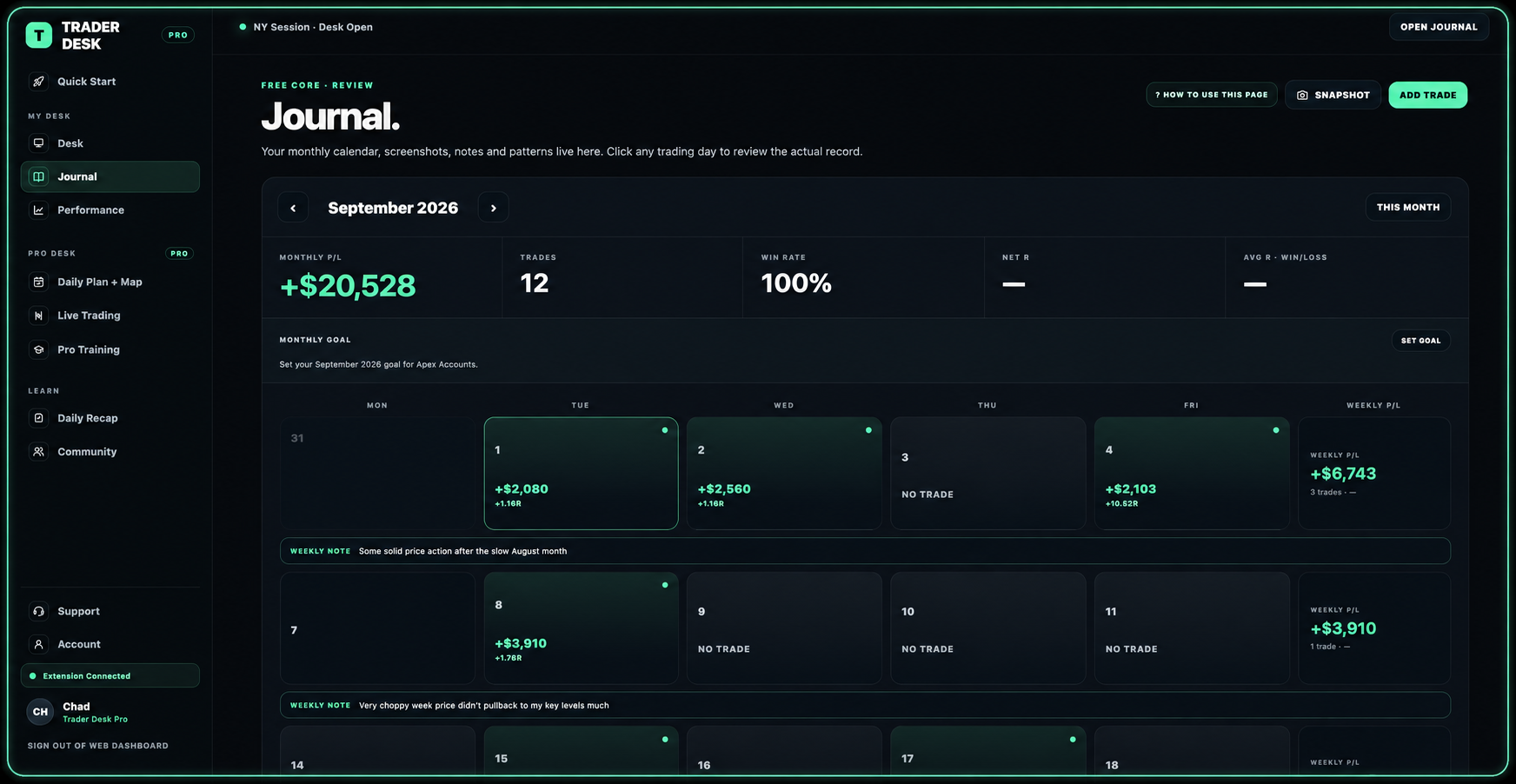
Keep your trades, screenshots, and notes together. Come back to a session and see the setup you took, the decisions you made, and how it turned out.

✓Results and trading days in one calendar
✓Setups, mistakes, and notes attached to your trades
✓Screenshots to review what you actually saw
Trader Desk journal illustration with monthly calendar, saved trades, results, and weekly notes
Journal illustration with example data.
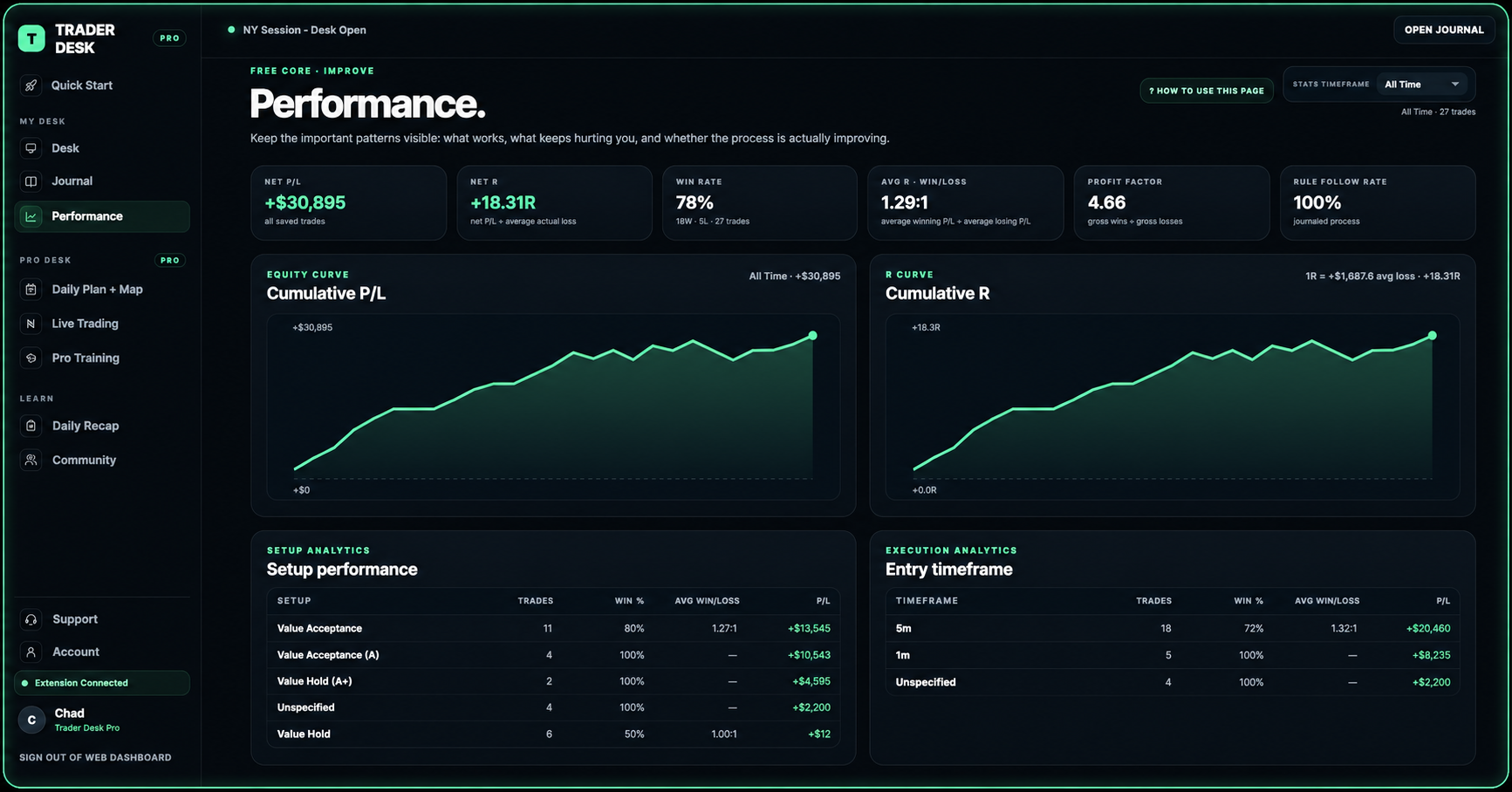
FREE Performance analytics

Which setups are actually working for you?

See your win rate, net R, streaks, and recurring setups and mistakes. Use your own trading history to give your next review a direction.

A red day doesn’t tell the whole story. Neither does a green one.

Trader Desk performance illustration with equity curves, net R, setup analytics, and entry timeframe results
Performance illustration with example data. Your stats reflect your recorded trades.
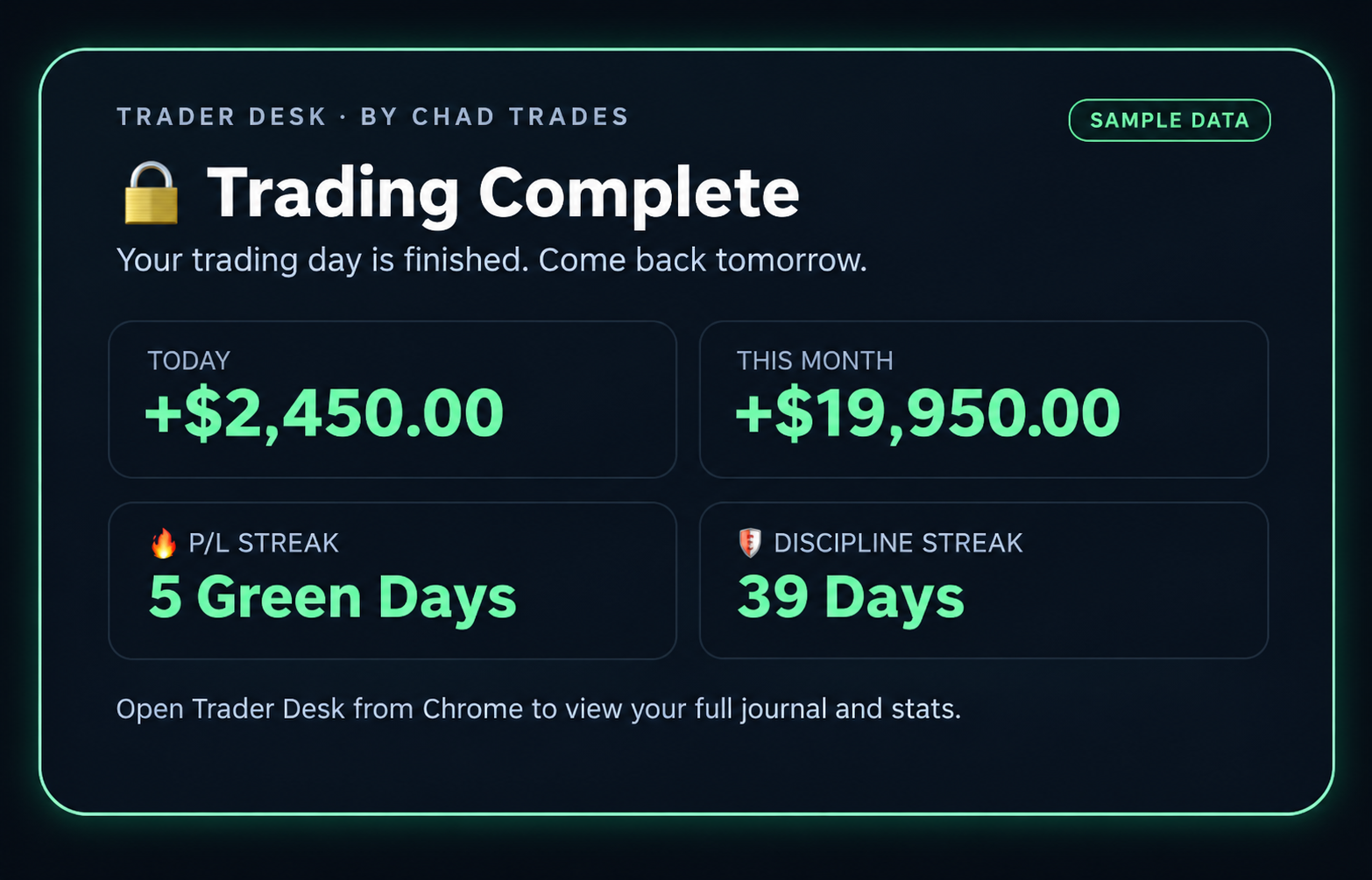
FREE Trade Locker

Done for the day?
Make it easier to stay done.

You took your planned trade. Then another setup appeared. Trade Locker gives you a practical way to follow through when you decide you’re finished.

Illustrative Trading Complete screen with sample daily and monthly results and discipline streak
Illustrative example with sample figures. Trade Locker locks Tradovate in your connected Chrome browser.

Start with your free account. To use Trade Locker, install the Chrome extension on your trading computer and sign in with the same account.

PRO Add Chad’s plan and process

Know the plan before the market opens.

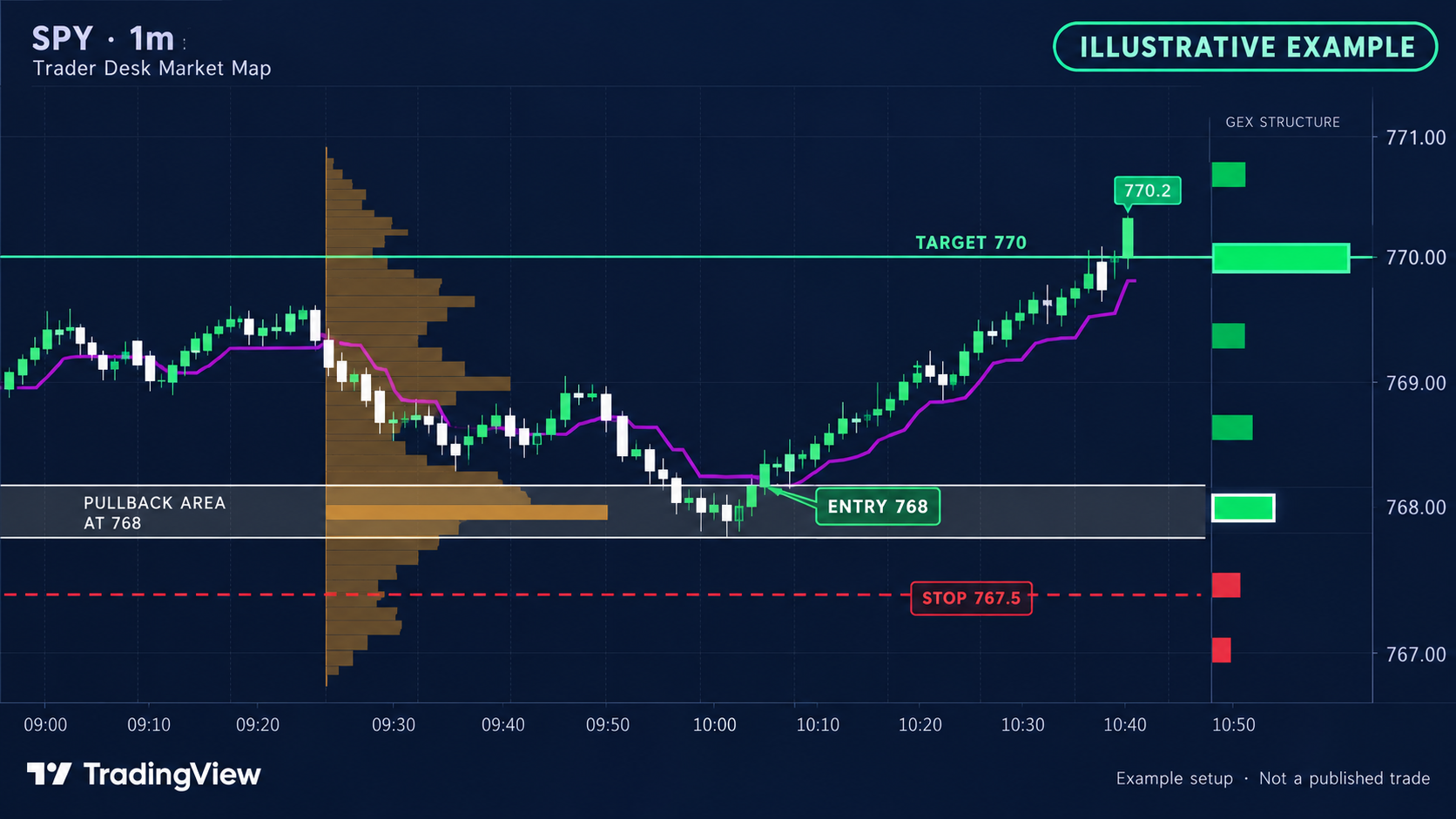
Get my morning trading plan, see the pullback areas and targets on your TradingView chart, and join me live each trading morning.

DAILY PLAN + MARKET MAPINCLUDED WITH PRO
Illustrative winning Market Map setup on TradingView showing a pullback entry at 768 and a move to the 770 target, with volume profile and GEX walls
Illustrative setup. Charts and signals do not guarantee an outcome.
PRO

Daily plans + Market Map

Read the morning scenarios and put the plan on your chart.

PRO

Entry confirmation

Use OTS Pro confirmation alongside your planned areas and risk rules.

PRO

Live trading

Join Chad during the morning session and see the plan in context.

PRO

Pro training

Learn the preparation, execution, and review process.

EXPLORE TRADER DESK PRO →$97 / month · Free tools included
Before you get started

A few things to know.

What exactly is Trader Desk?

Trader Desk brings trading tools, journaling, performance review, and Trade Locker into one workspace. Start free with Contract Sizing, Price Converter, your journal, analytics, and Trade Locker. Pro adds Chad’s daily plans, Market Map, OTS Pro, live trading, and training.

Do I need Pro to use Trader Desk?

No. You can use the free journal, analytics, two free indicators, and Trade Locker without a Pro subscription or a credit card. Pro is optional.

Where do the indicators run?

The indicators run on TradingView. Open the Indicators tab inside Trader Desk for the script links and setup instructions. Pro indicator access may require your TradingView username and access setup. Market-data subscriptions are separate.

Can I use the journal without Tradovate?

Yes. Record trades and review your journal and analytics in the web app. Tradovate and the Chrome extension are required for Trade Locker, not the journal.

Does Trader Desk place trades for me?

No. You make your own decisions and execute your trades. The tools help with preparation, sizing references, confirmation, and review. Plans and signals do not guarantee results.

Does Trade Locker lock my entire brokerage account?

No. It locks Tradovate in your connected Chrome browser until the next trading session. It does not block other browsers, devices, or trading platforms. Your journal remains available after closing your desk.
Start with your free desk

Your tools. Your trades.
Your next step forward.

Get the free indicators, journal, analytics, and Trade Locker. Add Pro when you want Chad’s morning plans and live guidance.

No credit card required. Pro is optional.
Indicators run on TradingView. Trade Locker works with Tradovate in Chrome.